CMS Migration Guide for Developers (2026)
The 5 phases, the SEO rules you can't skip, and the rollback plan you should write before phase 1.

CMS migrations fail for the same reason every time: someone treated content as data and forgot it was also URLs, traffic, and SEO equity built up over years. The export-import script is the easy part. Keeping Google happy while you swap engines is the part that decides whether the project ships or gets rolled back at 2am.
This is a developer's playbook for moving off any CMS — WordPress, Contentful, Sanity, Strapi, anything else — without losing rankings, breaking links, or torching content history. TL;DR: map your schema before you write a single line of import code, ship 301 redirects on day one, freeze content edits during the cutover, and keep the old system reachable for 30 days as a rollback plan. The order matters more than the tooling. See also: the developer's reference for choosing a modern CMS in 2026.
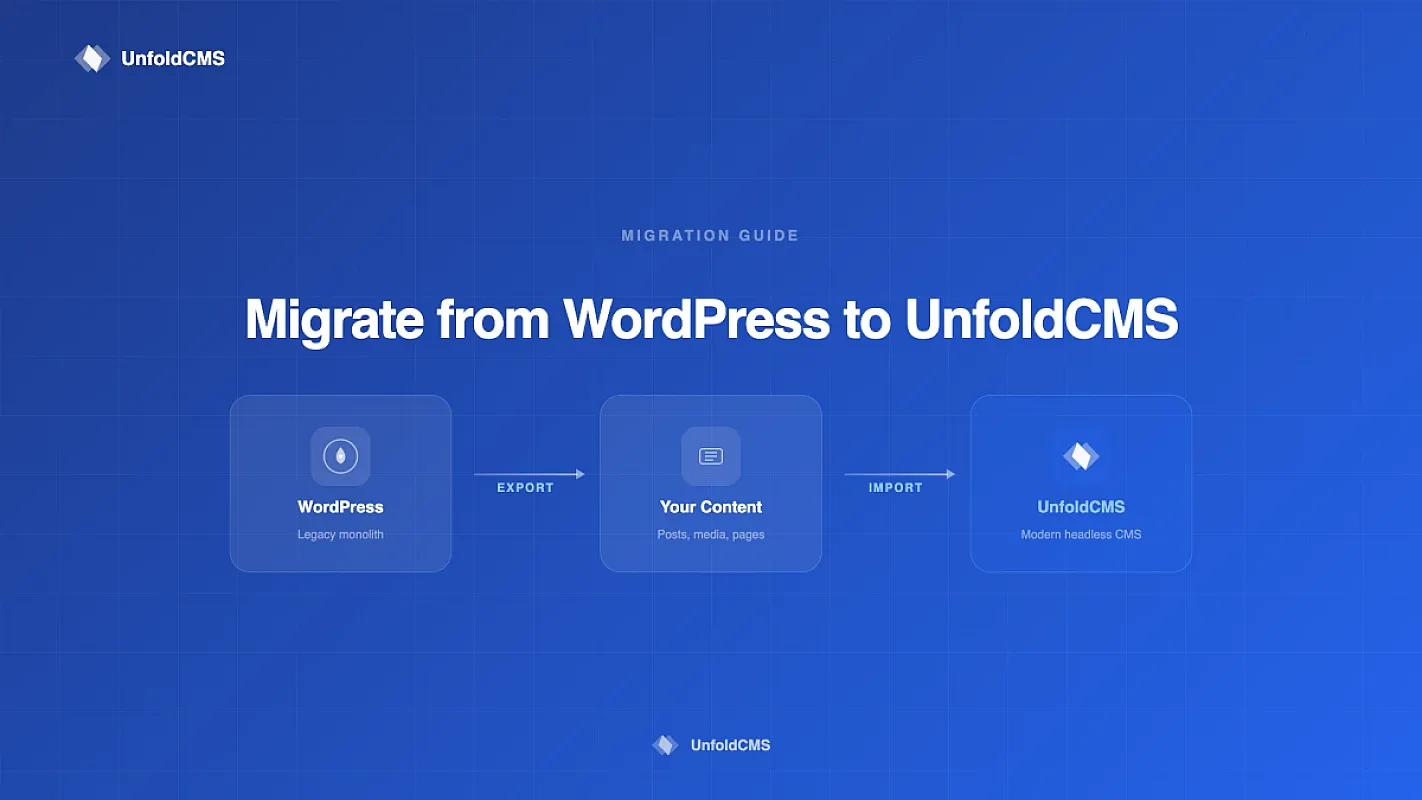
We've shipped four migration guides over the last few months — WordPress, Contentful, Sanity, and Strapi. The patterns repeat. This post is the framework-agnostic version: the 5 phases, the SEO rules you can't skip, the schema-mapping decisions that bite you later, and the rollback plan you should write before you start.
What Is a CMS Migration, Really?
A CMS migration is moving content, URLs, media, users, and metadata from one content system to another without losing search rankings, breaking inbound links, or corrupting historical data. The hard part isn't the data move — it's preserving everything that made the old site valuable while changing the engine underneath.
Most developers underestimate this because the export-import looks like a one-day script. It's not. A clean migration is 5 phases over 2-6 weeks for a real site. Skip phases and you get the classic post-migration disaster: traffic drops 40-60%, support tickets spike, and someone has to explain to leadership why organic revenue cratered.
Why developers usually own this
CMS migrations land on developers because they touch every layer: database schema, URL structure, redirect rules, image pipelines, build tooling, and deployment. Marketing can't run an export. The hosting team can't write the schema map. It has to be the person who can read both the old data model and the new one and decide what maps to what.
If you're new to picking a destination CMS first, start with what makes a CMS developer-friendly — the migration is easier when the target system has good import tooling and a sane data model.
The 5 Phases of a Safe CMS Migration
Every successful migration follows the same shape regardless of source or target. The phases are sequential — you can't skip ahead without paying for it later.
| Phase | What you do | Time | Rollback risk |
|---|---|---|---|
| 1. Audit | Inventory content, URLs, custom fields, integrations | 2-5 days | None |
| 2. Schema map | Decide what maps to what in the target CMS | 2-4 days | None |
| 3. Export & transform | Pull data, convert formats, dry-run import | 3-7 days | None — staging only |
| 4. Cutover | Freeze content, final import, DNS flip, redirects live | 1 day | High — this is the risky window |
| 5. Monitor & cleanup | GSC checks, redirect QA, old system in read-only | 30 days | Medium — find issues fast |
The temptation is to compress phases 1-3 because "it's just data." Don't. The audit is what catches the 47 custom fields nobody documented and the 12,000 image attachments that have hardcoded URLs in post bodies. Finding those in phase 4 is when migrations turn into 3am incidents.
Phase 1 — Audit Everything Before You Touch Code
Before you write any export script, you need an inventory. Not a "rough idea" — an actual list.
What to count:
- Total posts, pages, custom post types (and how many of each)
- All URL patterns in use (
/blog/{slug},/2024/03/post-name,/category/{cat}/{slug}, etc.) - Custom fields per content type — name, type, whether it's used in the frontend
- Media library size (file count + total GB) and where files are referenced
- Authors, roles, permissions, and which ones still have active accounts
- Categories, tags, taxonomies, and how they map to navigation
- Plugins or integrations that write to or read from the database
- Hardcoded URLs inside post bodies (this one always bites)
Tools that help: wp-cli post list --format=csv for WordPress, the Contentful CLI for Contentful exports, Sanity's sanity dataset export, Strapi's content-type-builder API. Whatever your source has, dump everything to JSON or CSV first so you can grep it.
Run a URL crawl: use Screaming Frog or wget --spider to get a complete list of every URL the old site serves. This becomes your redirect source-of-truth. Anything indexed by Google but not in your CMS export is probably an attachment, a category archive, or a legacy URL — all of which need redirects.
Phase 2 — Schema Mapping (The Decision Doc)
This is where most migrations go wrong. Schema mapping is a written document that says, for every field in the source, where it lands in the target. No ambiguity.
A real schema map looks like this:
| Source field | Source type | Target field | Target type | Transform |
|---|---|---|---|---|
wp_posts.post_title |
varchar(255) | posts.title |
string(255) | None |
wp_posts.post_content |
longtext (HTML) | posts.body |
markdown | HTML→MD via Turndown |
wp_postmeta._yoast_wpseo_metadesc |
text | seo.meta_desc |
string(160) | Truncate to 155 chars |
wp_terms (category) |
term_taxonomy | categories |
model | Slugify, dedupe |
ACF event_date |
datetime | Custom field event_date |
datetime | Convert to UTC |
Decisions you need to make explicitly:
- HTML or markdown? Most modern CMSes prefer markdown bodies. Conversion is lossy — inline styles, custom shortcodes, and embedded HTML widgets often need manual handling. Pick a converter (Turndown, html-to-md, Pandoc) and run it against your 20 most-trafficked posts as a sanity check before committing.
- What about custom shortcodes? WordPress sites accumulate
[gallery],[contact-form-7],[caption]shortcodes. Decide for each one: replace with native equivalent, drop, or convert to a custom block in the target. - Author identity: do you preserve original authors as users in the new system, or attribute everything to a single editorial account? Either is fine — just decide before you import.
- Media URLs: this is the killer. If post bodies contain
https://oldsite.com/wp-content/uploads/2023/04/image.jpg, you need to either rewrite those URLs during import or keep the old domain reachable forever as a CDN. Most teams rewrite — but it requires a regex pass over every body during transform. - Created/modified dates: preserve them. Don't let the import set everything to today. Search engines use these, archive pages depend on them, and analytics will break if every post suddenly has the same publish date.
If you're moving toward a headless CMS, schema mapping also forces you to decide what becomes API-driven content vs. what stays as static config. Most teams over-model on the first pass — keep it simple, you can always add fields later.
SEO Preservation — The Part That Actually Matters
Search engines remember URLs. When you change a CMS, you almost always change URL structures, and unless you handle it correctly, you tell Google "those 500 pages we ranked for? They're 404 now." Traffic falls off a cliff inside 14 days.
The SEO preservation rules are short and non-negotiable.
Rule 1: Map every old URL to a new URL before launch
Pull your URL crawl from Phase 1. For every URL, decide:
- Same content, new URL → 301 redirect from old to new
- Same content, same URL → no action needed (preserve the slug)
- Content removed → 301 to nearest relevant page, NOT to homepage
- Content split into multiple pages → 301 to the most relevant single destination
Never use 302s for migrations. 302 means "temporary" and Google won't pass link equity. Always 301.
Where redirects live: ideally in your web server config (Nginx rewrite, Cloudflare Page Rules, or a redirect map file your CMS reads). Application-level redirects work but add latency on every miss. For 5,000+ redirects, use a Cloudflare Workers rewrite or an Nginx map file — both are O(1) lookups.
Rule 2: Preserve title tags and meta descriptions per page
Every page that ranked for something is ranking because of its on-page signals. Title tags, meta descriptions, H1s, and body content are the load-bearing parts. The new CMS must let you set these per page (not auto-generate from the post title). If your target CMS forces title-cased post titles into the <title> tag, you'll see ranking drops on any page where the original title used proper casing — "WordPress" becoming "Wordpress" is enough to cost you the SERP.
Rule 3: Submit a fresh sitemap on launch day
Generate sitemap.xml from the new CMS, ping Google Search Console, and submit it. Set lastmod to today on every page so Google re-crawls quickly. Watch the Pages report in GSC for the next 14 days — coverage drops above 5% mean something's wrong.
Rule 4: Keep canonical tags pointing at the new URLs
If you're running both old and new during a parallel period, set <link rel="canonical"> on the old URLs to point at the new URLs. This tells Google "the new one is the real one" while you finish the cutover.
Rule 5: Don't change the IA on migration day
Information architecture changes (renaming categories, restructuring URL hierarchy, splitting one section into two) are major SEO events on their own. Don't combine them with a CMS migration. Move the content first, settle for 4-8 weeks, then restructure if needed. One change at a time.
For more on SEO during architecture changes, see headless CMS and SEO: what actually matters in 2026 — the redirect and canonical rules apply regardless of whether you're going headless.
Content Export Tooling — What Actually Works
Every source CMS has its own export quirks. Here's what's worked for us across migrations.
Format-conversion tools
- Turndown (JS) — HTML → Markdown. Handles 90% of WP/Drupal cases cleanly. Custom rules for shortcodes.
- Pandoc (CLI) — heaviest converter, supports almost any input/output. Slower but more accurate for complex HTML.
- html-to-md (Node) — lighter than Turndown, faster, less configurable.
- rehype + remark (unified ecosystem) — if you need a programmable AST pipeline (custom transforms, frontmatter generation, link rewriting).
For HTML→Markdown, never trust the output blindly. Spot-check 20 random posts. Watch for: stripped <figure> captions, broken nested lists, lost embed iframes, and shortcode remnants like [/caption] left as plain text.
Image and media handling
The media library is usually 70-90% of the file size of a migration. Two strategies:
- Bulk download then re-upload:
wgetorrsyncthe entire/uploadsdirectory, then run an import script that uploads each file to the new CMS's media handler. Slow but clean. - Reference-only: keep the old domain serving media as a CDN. Faster to migrate but you now own two systems indefinitely. Don't do this unless you have to.
If you bulk-import, you must also rewrite URLs in post bodies. A migration that imports 12,000 images correctly but leaves the post body pointing at oldsite.com/wp-content/uploads/... is broken.
Content body transforms
Run these in order during your transform step:
- Strip CMS-specific shortcodes (or convert them to native blocks)
- Rewrite media URLs (
oldsite.com/uploads/...→newsite.com/storage/...) - Convert HTML to markdown (if your target uses markdown)
- Normalize whitespace, fix smart quotes, strip empty paragraphs
- Validate every internal link still resolves to a known target URL
Idempotent transforms matter — you'll run this pipeline 5-10 times during testing. Make it deterministic so the same input always produces the same output.
The Cutover Playbook (One Day, One Window)
The cutover is the only phase with rollback risk. Everything before it is staging work. Everything after is monitoring. The day itself should be boring if you've done the prep.
Pre-cutover checklist (the day before)
- Freeze content in the source CMS — no edits allowed once the final export starts. Communicate this to every editor.
- Run the full import on staging one last time — fresh database, fresh import, end-to-end. Time it. This tells you how long the real cutover takes.
- Generate the redirect map from Phase 1 URL crawl + your slug-mapping logic. Sanity check: pick 50 random URLs from old GSC top-pages, confirm each one's redirect target makes sense.
- Pre-stage the new CMS DNS records with low TTL (60 seconds) 24h before cutover so DNS flips fast.
- Brief the team on the rollback trigger — what condition reverts the cutover, who calls it.
Cutover day — the order
- Lock content edits on the old system (read-only mode).
- Run final export from source.
- Run the full import into the new CMS on the production database.
- Verify a sample of 100 random posts rendered correctly on the new site (hidden behind a staging hostname).
- Push redirects live in your edge config.
- Flip DNS to the new origin.
- Submit the new sitemap to Google Search Console.
- Watch logs for the next 4 hours — 404s, 5xx errors, slow queries.
Don't deploy code changes the same day
Cutover day is for the migration only. No new features, no design tweaks, no schema additions. Anything that breaks should be obviously caused by the migration so you can roll back cleanly.
The Rollback Plan (Write This Before You Start)
Every migration needs a rollback plan written before phase 1 starts. If you're 6 hours into cutover and traffic is 60% down, "we'll figure it out" is not a plan.
Minimum rollback plan:
- Trigger conditions: what specific signal causes a rollback? (e.g., "non-200 rate above 5% for >15min" or "GSC shows >20% pages dropped from index after 7 days")
- Decision-maker: one named person who calls the rollback. Not a committee.
- DNS revert path: how fast can you flip DNS back to the old origin? (Should be under 5 minutes if TTL is low.)
- Old system status: keep it reachable in read-only mode for at least 30 days post-cutover. Don't decom anything for 90 days.
- Data divergence: if editors made changes on the new system before rollback, do those changes get re-applied to the old system? Decide upfront.
The 30-day read-only old system is the most important rule. We've seen migrations where the old WordPress was deleted on day 3 to save hosting costs, and on day 12 a critical bug surfaced that needed historical post data to debug. Don't be that team.
Per-Source Migration Playbooks
The framework above is universal. The specifics differ by source. We have detailed migration guides for the four most common sources — read the one that matches your stack.
Migrating from WordPress
WordPress is the hardest source because of the sheer surface area: 60,000+ plugins, theme-specific custom fields, ACF, Yoast/RankMath SEO data, Gutenberg blocks, classic editor HTML, shortcodes, and 20 years of accumulated cruft. The data model is normalized across wp_posts, wp_postmeta, wp_terms, wp_users — straightforward to query but custom fields live as serialized PHP in wp_postmeta which needs special handling.
Watch out for: Yoast SEO meta keys (_yoast_wpseo_title, _yoast_wpseo_metadesc) need to be pulled from wp_postmeta separately, ACF fields stored as JSON-in-meta, and Gutenberg block markup that needs HTML extraction before markdown conversion. WordPress also has the most varied URL patterns in the wild — pretty permalinks, date-based, custom post types with their own slugs.
→ Full playbook: How to Migrate from WordPress to UnfoldCMS
Migrating from Contentful
Contentful is a clean source — REST and GraphQL APIs, well-typed content models, good CLI export tooling. The pain isn't the export; it's the pricing model that drove the migration in the first place. Contentful charges per record + per API call + per locale, and teams hit price walls fast.
Watch out for: Rich text is stored as a JSON AST (Contentful's own format), not HTML or markdown. You need their @contentful/rich-text-html-renderer or @contentful/rich-text-plain-text-renderer to convert it before further transforms. Reference fields (links between entries) need to be resolved during import — order matters or you'll have dangling references.
→ Full playbook: How to Migrate from Contentful to UnfoldCMS
Migrating from Sanity
Sanity exports cleanly via sanity dataset export which produces an .tar.gz of NDJSON files. The data is well-structured but uses Sanity-specific concepts (Portable Text, references, weak vs strong refs) that don't map 1:1 to most target CMSes.
Watch out for: Portable Text (Sanity's rich content format) is a JSON array of blocks — converting to HTML/markdown requires walking the block tree and handling custom marks, annotations, and inline references. The community @portabletext/to-html package handles most cases but you'll need custom serializers for any custom blocks your schema defined.
→ Full playbook: How to Migrate from Sanity to UnfoldCMS
Migrating from Strapi
Strapi is self-hosted so you have full database access — easiest export of the four. Postgres or MySQL dump, parse the strapi_database schema, transform. The hard part is that Strapi v3 → v4 changed the data model significantly, so the migration shape depends heavily on which version you're leaving.
Watch out for: Strapi components (reusable field groups) and dynamic zones (mixed-component fields) need flattening. They're stored across multiple tables with foreign keys, not as JSON. You'll likely write a join query per component type. Also: Strapi's media library uses a hash-based filename scheme, so URL rewriting needs to map hashes to new filenames, not just change the domain.
→ Full playbook: How to Migrate from Strapi to UnfoldCMS
For all four, the Compare hub lists every migration page plus side-by-side comparisons of the source CMS against modern alternatives.
Post-Migration: The 30-Day Watch
After cutover, the migration isn't done. It's monitoring time.
Days 1-3 — watch error rates, redirect coverage, render correctness. Sample 100 random old URLs daily, confirm they 301 to a 200-OK page.
Days 4-14 — watch Google Search Console. Indexing should recover within 14 days for most pages. If GSC shows pages stuck in "Discovered — currently not indexed" beyond day 14, that's a quality or technical signal worth investigating.
Days 15-30 — watch organic traffic. Expect a 10-20% dip in week 1, recovering to baseline by week 3-4. A larger or sustained drop means something is wrong — usually a redirect gap, a missed canonical, or a schema markup loss.
Day 30 — write the post-mortem. What broke, what surprised you, what would you do differently. This document is gold for the next migration.
What to Do About It
If you're staring down a migration, here's the order of operations that actually works:
- Pick the destination first — read what makes a CMS developer-friendly and the comparison hub to choose. Don't migrate to a CMS that has the same problems as the one you're leaving.
- Run the audit before writing any code — 2-5 days of inventory work saves weeks of cutover-day surprises.
- Write the schema map as a real document. Review it with the marketing/content team. They'll catch fields you didn't know existed.
- Build the import on staging and run it end-to-end at least 3 times before cutover. Time each run.
- Write the rollback plan before phase 1 starts. Trigger conditions, decision-maker, revert path.
- Cutover on a low-traffic day (Tuesday morning is the boring choice for a reason).
- Monitor for 30 days. Don't decom the old system for 90.
If your destination is UnfoldCMS, the four migration guides linked above cover the source-specific specifics. The platform itself is a self-hosted, developer-friendly CMS built on Laravel + React + shadcn/ui — you own the data, you own the schema, no API call limits and no per-record pricing. See pricing or book a demo if it's a fit.
FAQ
How long does a CMS migration take?
For a small site (under 500 posts), a clean migration is 1-2 weeks of focused work. Mid-size sites (500-5,000 posts) typically run 3-6 weeks including audit, schema mapping, staging tests, cutover, and the 30-day watch period. Enterprise sites with custom integrations can run 2-6 months. The data move is rarely the bottleneck — schema mapping, redirect QA, and integration rebuilds are.
Will I lose SEO rankings during a CMS migration?
You'll see a 10-20% temporary dip in week 1 even with a perfect migration — Google needs to re-crawl and re-evaluate. By week 3-4 you should be back to baseline. Sustained drops above 25% mean something specific is wrong: missing 301 redirects, lost title/meta tags, or a noindex tag that shouldn't be there. The biggest preventable cause of permanent SEO loss is missing redirects.
Should I migrate URLs or keep them the same?
Keep them the same whenever possible. Every URL change is a 301 redirect that needs to live forever and an additional crawl-and-evaluate cycle from Google. If your old URLs are reasonable (/blog/post-slug style), preserve them in the new CMS. Only change URL structure if the old one is genuinely bad (date-based archives nobody uses, malformed slugs) — and never combine URL changes with the cutover itself.
How do I handle custom fields during migration?
Map them explicitly in the schema document — no field gets imported without a row in the map. Most modern CMSes support custom fields natively or via a JSON metadata field. For each custom field decide: native field in target, JSON metadata, or drop. Flatten serialized data (PHP arrays in WP wp_postmeta, JSON in Contentful) during transform, not during import.
What's the most common mistake developers make in CMS migrations?
Treating it as a data move instead of a URL move. Devs default to "let's get the content over" and underestimate redirects, canonicals, sitemap submission, and the 30-day GSC watch. The export-import is 30% of the work. URL preservation, redirect QA, and SEO monitoring are the other 70%.
Can I run two CMSes in parallel during a migration?
Yes, and it's often the safest approach for large sites. Serve some sections from the new CMS, keep others on the old one, with a unified domain via reverse proxy. Migrate one section at a time over weeks. The complexity is in the routing layer (Nginx or Cloudflare Workers) and keeping search engines from indexing duplicate content via canonical tags pointing at the new URLs.
Sources & Methodology
This playbook draws on four migration projects shipped between Q4 2025 and Q2 2026 — WordPress, Contentful, Sanity, and Strapi → UnfoldCMS. Each had its own published guide with source-specific tooling and SQL queries.
Specific data points:
- 30-day GSC recovery window: Google Search Central documentation on site moves
- 301 vs 302 link equity: Google John Mueller's repeated confirmations on the Search Off the Record podcast (2023, 2024)
- HTML→Markdown conversion tooling tested: Turndown 7.x, Pandoc 3.x, html-to-md 7.x — comparison ran on 200 sampled WordPress posts
- Crawl tooling referenced: Screaming Frog SEO Spider 20.x, Sitebulb, GSC URL Inspection API
The 5-phase model is internal — it's the framework we use across migration engagements at LastFold. The phase names map onto common migration playbooks (audit/map/transform/cutover/monitor) but the time ranges and rollback rules come from real project retros.
Free & Open Source
Own your CMS. No subscriptions.
Unfold CMS is free to download and self-host. Built on Laravel + React, full source code included.
Share this post: