Laravel + React + shadcn/ui: The Modern CMS Stack
What each layer of the modern Laravel CMS stack actually does

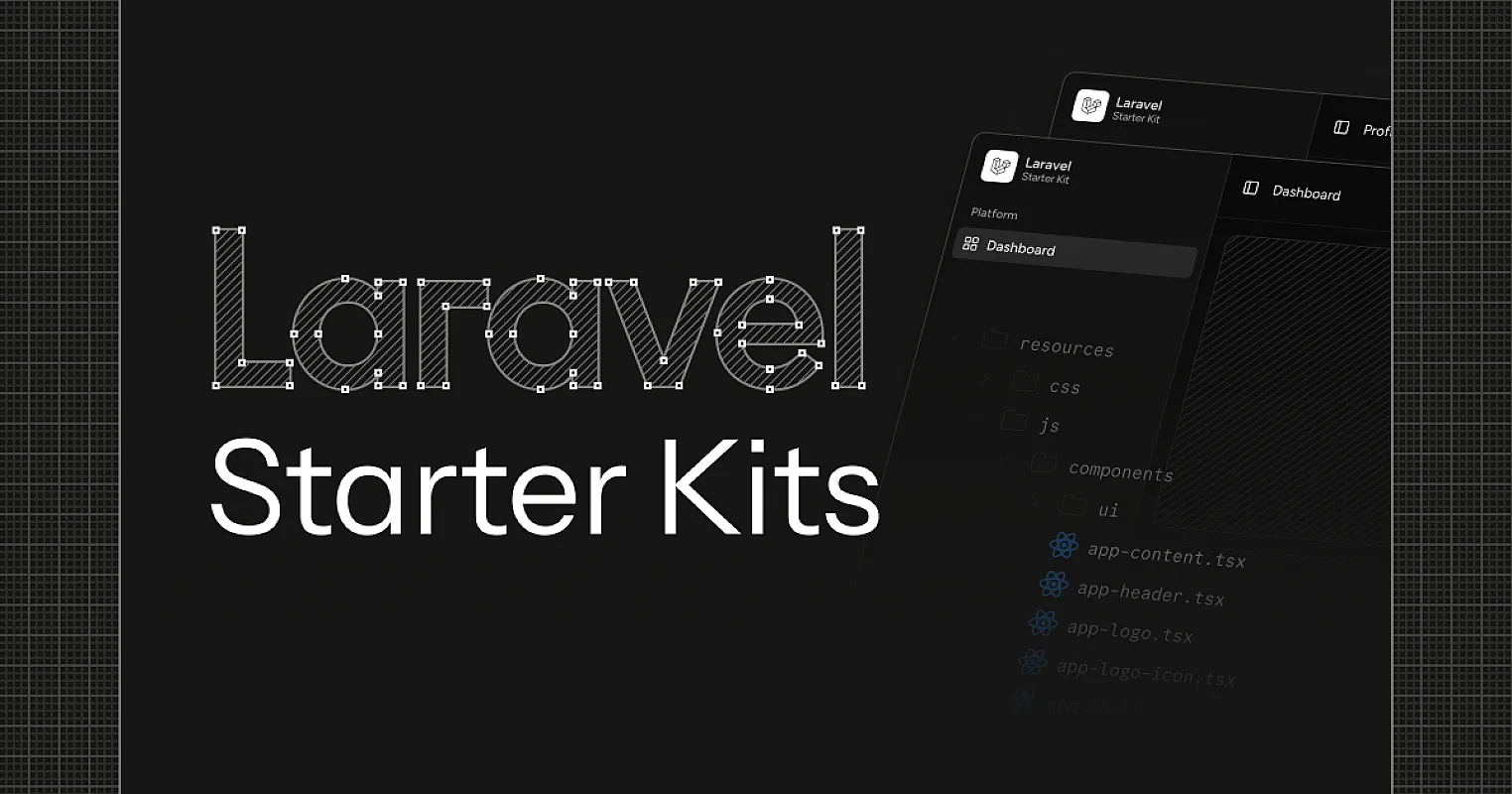
Most "modern" Laravel CMS options stop at Blade templates and a Bootstrap admin panel. The frontend ecosystem moved on five years ago — to React, TypeScript, and component libraries you actually own — but the Laravel CMS world still ships admin UIs that feel like 2015.
Unfold CMS runs the full modern stack: Laravel 12 (released February 2025), React 19 (December 2024), TypeScript, Inertia 2 (March 2025), shadcn/ui (113,000+ GitHub stars as of April 2026), and Tailwind v4 (January 2025, 5x faster builds). Not a Blade admin with React sprinkled in. The entire admin is React, the entire codebase is yours, and the integration between server and client is the tightest you'll find outside a hand-rolled SPA.
TL;DR: A Laravel + React + shadcn/ui CMS stack means Eloquent and Laravel's ecosystem on the backend, React 19 + TypeScript on the frontend, Inertia 2 to bridge them without an API layer, and shadcn/ui components you can fork and modify directly. Unfold CMS is the first production-grade CMS built on this exact combination. See the full feature breakdown on the shadcn CMS post. See also: 51 shadcn components in our production admin.
Why the Laravel CMS Space Got Stuck
Laravel has the best server-side developer experience of any PHP framework. Eloquent, queues, broadcasting, the artisan ecosystem — none of it has serious competition. So why does the Laravel CMS category feel a decade behind the frontend ecosystem?
The honest answer: most Laravel CMS projects were built when Blade + jQuery was the default, and they never made the jump. Statamic ships a Vue 3 admin built on its own component system. Filament uses Livewire and Alpine — great for admin panels, but it's a Laravel-specific UI stack that doesn't translate to your public site. Wink, October CMS, Pyro CMS — all Blade-first, all dated.
The result is that if you want a Laravel CMS with a modern React admin and a public site you can build with the same components, you don't have one. Until now.
The Modern CMS Stack: What Each Layer Does
Every layer here exists for a specific reason. None of them are fashion.
Laravel 12 (released February 24, 2025) — the backend. Eloquent for the data layer, queues for background jobs, mail/notifications, broadcasting, the entire artisan tooling ecosystem. PHP 8.3+ for typed code. Laravel 12 ships first-class React/Vue/Svelte starter kits and WorkOS AuthKit integration. This is the layer that gives you a real backend, not a "function-as-a-service" abstraction that breaks the moment your data model gets non-trivial.
React 19 (released December 5, 2024) — the admin frontend. Server components, the new use() hook, Actions, React Compiler, document metadata support, async transitions. React 19 is the version where the framework finally feels coherent end-to-end, and it's the version every major component library is now targeting first.
TypeScript — type safety across the React layer. Props, state, API contracts, all typed. The Laravel side stays in PHP (with strong typing via PHP 8.3), so you get type safety on both sides of the wire without a unified type system being forced on you.
Inertia 2 (released March 2025) — the glue. Inertia replaces the API layer entirely: your Laravel controller returns an Inertia response with props, and your React page component receives them as typed props. v2 added async-first architecture, deferred props, prefetching, polling, and infinite scrolling. No REST endpoint, no OpenAPI spec, no client-side state library wrapping fetch calls. You write Inertia::render('admin/posts/index', ['posts' => $posts]) on the server, and function PostsIndex({ posts }: Props) on the client. That's the entire integration.
shadcn/ui — the component library that crossed 113,000 GitHub stars by April 2026, faster than any React component library before it. Not installed as a dependency. Copied into resources/js/components/ui/ where you own the source. Fork a Button variant in seconds. No upgrade cycles to break your customizations.
Tailwind v4 (released January 22, 2025) — utility-first CSS with a Rust-based Lightning CSS engine, CSS-first config (no tailwind.config.js), and 5x faster full builds with microsecond incremental rebuilds. Theming via CSS custom properties means switching between three admin themes (Default, Purple, Soft Purple) is a CSS variable swap, not a rebuild.
Why Inertia Beats a REST API for a CMS Admin
Most modern CMS projects build a REST or GraphQL API and consume it from a separate React app. This is technically fine. It's also unnecessary work that introduces a class of bugs that don't need to exist.
Here's what that looks like in practice. With a REST API:
// React side — tens of these
const { data, error, isLoading } = useQuery({
  queryKey: ['posts', page, filters],
  queryFn: () => api.posts.list({ page, filters }),
});

if (isLoading) return <Skeleton />;
if (error) return <ErrorState error={error} />;

return <PostsTable posts={data.items} pagination={data.meta} />;
You need a query client, loading states, error states, cache invalidation, optimistic updates, type generation from your OpenAPI spec to keep the frontend types in sync. This is a non-trivial amount of code just to render a list of posts.
With Inertia 2, the same screen is:
// Laravel controller
return Inertia::render('admin/posts/index', [
    'posts' => Post::with('author')->paginate(20),
]);
// React page
function PostsIndex({ posts }: { posts: PaginatedPosts }) {
  return <PostsTable posts={posts.data} pagination={posts.meta} />;
}
No fetching layer. No client cache. No generated types — you write the TypeScript interface once. The "API" is just your Laravel controllers, and the props arrive on the client like a server-rendered page, except your component is a full React component with state, hooks, and effects.
For a CMS admin, this trade-off is overwhelmingly correct. Admin panels don't need to be consumable by mobile apps or third-party clients — they're internal tools for the team running the site. The complexity of an API layer buys you nothing except more bugs.
If you do need a public API for headless use, Laravel still gives you that — Unfold ships a Sanctum-authenticated REST API for content delivery. The admin just doesn't use it.
How shadcn/ui Fits Into a Laravel Project
This is the part most Laravel developers get wrong on the first try. shadcn/ui isn't an npm package you install. The CLI copies component source files into your project. In a Laravel + Inertia setup, that means files land in resources/js/components/ui/:
resources/js/
├── components/
│   ├── ui/                        # shadcn components (yours to edit)
│   │   ├── button.tsx
│   │   ├── data-table.tsx
│   │   ├── dialog.tsx
│   │   └── ...
│   └── admin/                     # your app components
│       └── post-editor.tsx
├── pages/                         # Inertia page components
│   └── admin/
│       └── posts/
│           └── index.tsx
└── lib/
    └── utils.ts                   # cn() helper
Vite handles the build. Tailwind v4 picks up the components automatically because they live in your resources/js/ tree. There's no separate React app, no Module Federation, no microfrontend architecture. It's a single Laravel project with a React admin baked in.
When the shadcn team ships a new component, you run npx shadcn@latest add command-menu and the source lands in your project. When you want a custom Button variant for a destructive bulk action, you open button.tsx and add it. Two-minute task. Zero plugins, zero config files, zero "extending the theme."
Laravel + React + shadcn/ui vs The Alternatives
Here's how the modern Laravel React stack actually compares to the other paths a developer might take when building a content-driven site.
| Stack | Backend | Frontend | Component System | Admin UI Customization | Type Safety |
|---|---|---|---|---|---|
| Unfold CMS (Laravel + Inertia + shadcn) | Laravel 12 | React 19 + TS | shadcn/ui (owned source) | Edit component files | TS + PHP 8.3 |
| Statamic | Laravel | Vue 3 (proprietary) | Statamic field types | Custom Vue plugins | Partial |
| Filament | Laravel | Livewire + Alpine | Filament's own DSL | Filament plugin API | PHP only |
| Strapi | Node.js | React (vendor admin) | Vendor components | Plugin system | TS |
| Payload CMS | Node.js | React (vendor admin) | Vendor components | Component overrides | TS |
| WordPress + REST | PHP (legacy) | Whatever you bolt on | None / Gutenberg blocks | Plugin hell | None |
The pattern: every alternative either gives you a vendor admin you can't truly own, or locks you into a proprietary component DSL. The Laravel + React + shadcn/ui stack is the only one where every layer is either an industry-standard tool or source code that lives in your own repo.
For a head-to-head with two of the closest alternatives, see our Payload comparison and the WordPress comparison.
What This Stack Looks Like Day-to-Day
A representative workflow inside Unfold CMS for a feature like "add a custom 'duplicate post' button to the admin":
1. Add the route and controller method (Laravel side):
// routes/admin.php
Route::post('/posts/{post}/duplicate', [PostController::class, 'duplicate'])
    ->name('admin.posts.duplicate');

// PostController
public function duplicate(Post $post)
{
    $copy = $post->replicate();
    $copy->title = $post->title . ' (Copy)';
    $copy->slug = Str::slug($copy->title) . '-' . Str::random(6);
    $copy->status = 'draft';
    $copy->save();

    return redirect()->route('admin.posts.edit', $copy);
}
2. Add the button to the page component (React side):
// resources/js/pages/admin/posts/edit.tsx
import { Button } from '@/components/ui/button';
import { router } from '@inertiajs/react';

function DuplicateButton({ postId }: { postId: number }) {
  return (
    <Button
      variant="outline"
      onClick={() => router.post(`/admin/posts/${postId}/duplicate`)}
    >
      Duplicate
    </Button>
  );
}
That's the full feature. No API endpoint to spec, no React Query hook to wire up, no separate admin plugin to register. Two files, one for backend logic, one for UI. The shadcn Button component is your code — if you want a custom variant="duplicate" with its own styling, you open components/ui/button.tsx and add it.
This is what people mean when they talk about a developer-friendly CMS. Most CMS platforms force you through a plugin system, an extension API, or a custom DSL just to add a button. The modern Laravel stack lets you write Laravel code and React code, and trusts you to know how to do that.
Where Each Layer Earns Its Place
It's worth being specific about which problems each piece of the stack actually solves, because "modern stack" can sound like buzzword chaining if you don't break it down.
Laravel earns its place because content-heavy sites have a lot of backend behavior: scheduled publishing, cache invalidation, image processing pipelines, email digests, search indexing, license validation, multi-tenant routing. PHP + Laravel handles all of this with battle-tested tools. Going Node-first means rebuilding half of it.
React 19 earns its place because admin UIs have complex state — multi-step forms, drag-and-drop reordering, live previews, bulk operations, optimistic UI for fast feedback. Vue and Svelte work too, but React's ecosystem (especially around component libraries, dev tools, and TypeScript integration) is the deepest, and shadcn/ui is React-only.
TypeScript earns its place because admin code is the kind of code that lives for years and gets touched by many people. Catching post.athor typos at compile time matters more here than in throwaway scripts.
Inertia 2 earns its place because it removes the API layer for the admin without removing your ability to add an API for public consumers. You don't pay the SPA-API tax for a UI that doesn't need it.
shadcn/ui earns its place because owning your component code is the single biggest DX improvement in modern React UI work. Every other component library trades short-term install-and-go ease for long-term customization pain.
Tailwind v4 earns its place because the new CSS-first config and theming via CSS custom properties make multi-theme support actually trivial. The three admin themes Unfold ships are 12 lines of CSS variables, not a build pipeline.
Who This Stack Is Right For (And Who It's Not)
Not every project should run on this stack. Honest about that.
Right for:
- Laravel teams who want a real React admin without rolling their own
- Agencies who want one CMS to power multiple client sites with different themes
- SaaS marketing sites that need fast page loads (Inertia + Vite + Laravel = fast)
- Developers who got burned by WordPress plugin churn and want a CMS where they own the code
- Teams that want self-hosting without giving up modern UX
Not right for:
- Teams with no PHP experience — Laravel has a learning curve and there's no escaping it
- Pure Node.js shops that don't want a polyglot codebase
- Projects that need a non-React admin (Vue-only teams, etc.)
- Static-only sites where any backend is overkill — go with a flat-file generator instead
Being honest about the not-right cases matters. A CMS recommendation that pretends to fit every team is a CMS recommendation you can't trust.
What's Different About Building Unfold On This Stack
A few things became obvious only after building a real CMS on this stack, not just a prototype:
- Forked components compound. Forking one Button variant in month one feels minor. By month six, the admin has 30+ small forks and customizations across components, and none of them broke during a Tailwind upgrade because the source is in your repo.
- Inertia eliminates a whole bug class. There are no "frontend says one thing, API says another" inconsistencies, because there's no API. The server defines the props, the client consumes them, the types are written once.
- Theming is actually trivial. Tailwind v4's CSS-first config means a theme is a CSS file with custom properties. Switching from "Default Blue" to "Purple" to "Unfold Soft" requires zero JavaScript, zero rebuild. Three themes in production with ~50 lines of CSS each.
- Laravel's tooling pays off in unexpected places.
artisan deploy,artisan tinker,artisan queue:work, scheduled tasks — none of this exists in the Node CMS world without rebuilding it. For a self-hosted CMS, the tooling difference is significant.
FAQ: Laravel + React + shadcn/ui CMS Stack
What is a Laravel + React CMS?
A Laravel + React CMS uses Laravel for the backend (Eloquent ORM, queues, scheduled tasks, authentication) and React for the frontend admin UI. Modern versions use Inertia.js to connect them without a separate REST or GraphQL API, so Laravel controllers pass typed props directly to React page components.
Why use Inertia.js instead of a REST API?
Inertia removes the API layer entirely for admin UIs. You write Laravel controllers that return React component names and props, and the React frontend receives them like server-rendered pages. This eliminates the need for a query client, type generation from OpenAPI specs, and most loading/error state code — without giving up the SPA feel.
Can I add custom React components to the admin?
Yes. The Unfold CMS admin is a standard React 19 + TypeScript app under resources/js/. Adding a new component is a matter of creating a .tsx file in resources/js/components/ and importing it. shadcn/ui components live in resources/js/components/ui/ and are fully editable source files.
Does the React 19 + Inertia 2 setup work with Laravel 12 out of the box?
Yes. Laravel 12 ships with first-class Inertia support via the official starter kits, and Inertia 2 introduced async props and partial reloads that work cleanly with React 19's concurrent features. Unfold CMS uses this exact combination in production.
Is shadcn/ui hard to learn coming from a PHP background?
No, but expect a one-week ramp. shadcn/ui is built on Radix UI primitives + Tailwind utility classes, which is two new ecosystems for most PHP developers. The payoff is that once you understand the pattern, customizing the admin is faster than working with any plugin-based PHP CMS.
How does theming work with Tailwind v4 + shadcn/ui?
Tailwind v4 supports CSS-first configuration with custom properties. Each theme is a CSS file that overrides shadcn's color tokens (--primary, --background, etc.). Switching themes is a CSS variable swap with no rebuild. Unfold ships three production themes using this pattern.
Try the Stack
The fastest way to evaluate the Laravel + React + shadcn/ui stack is to clone Unfold CMS and run it locally. The full source is on the Unfold CMS GitHub repo, the production setup notes are in /docs, and the demo site shows the admin without any setup at all.
If you're evaluating Unfold against another CMS, the pricing page lays out the trade-offs honestly — including the cases where Unfold isn't the right answer.
Sources & Methodology
- Stack details: Direct inspection of the Unfold CMS codebase —
composer.json,package.json,resources/js/components/ui/, and admin route definitions as of April 2026. - shadcn/ui adoption: shadcn/ui GitHub repository, public star count and issue tracker, January–April 2026.
- Inertia 2 features: Inertia.js official documentation and v2 release notes.
- Comparisons: Public documentation and codebases of Statamic, Filament, Strapi, and Payload CMS as of April 2026.
- Laravel 12 / React 19 / Tailwind v4: Official release notes from the Laravel, React, and Tailwind teams.
Author: Hamed Pakdaman, founder of Unfold CMS. Building the Laravel + React + shadcn/ui CMS stack in production since 2024.
Free & Open Source
Own your CMS. No subscriptions.
Unfold CMS is free to download and self-host. Built on Laravel + React, full source code included.
Share this post: