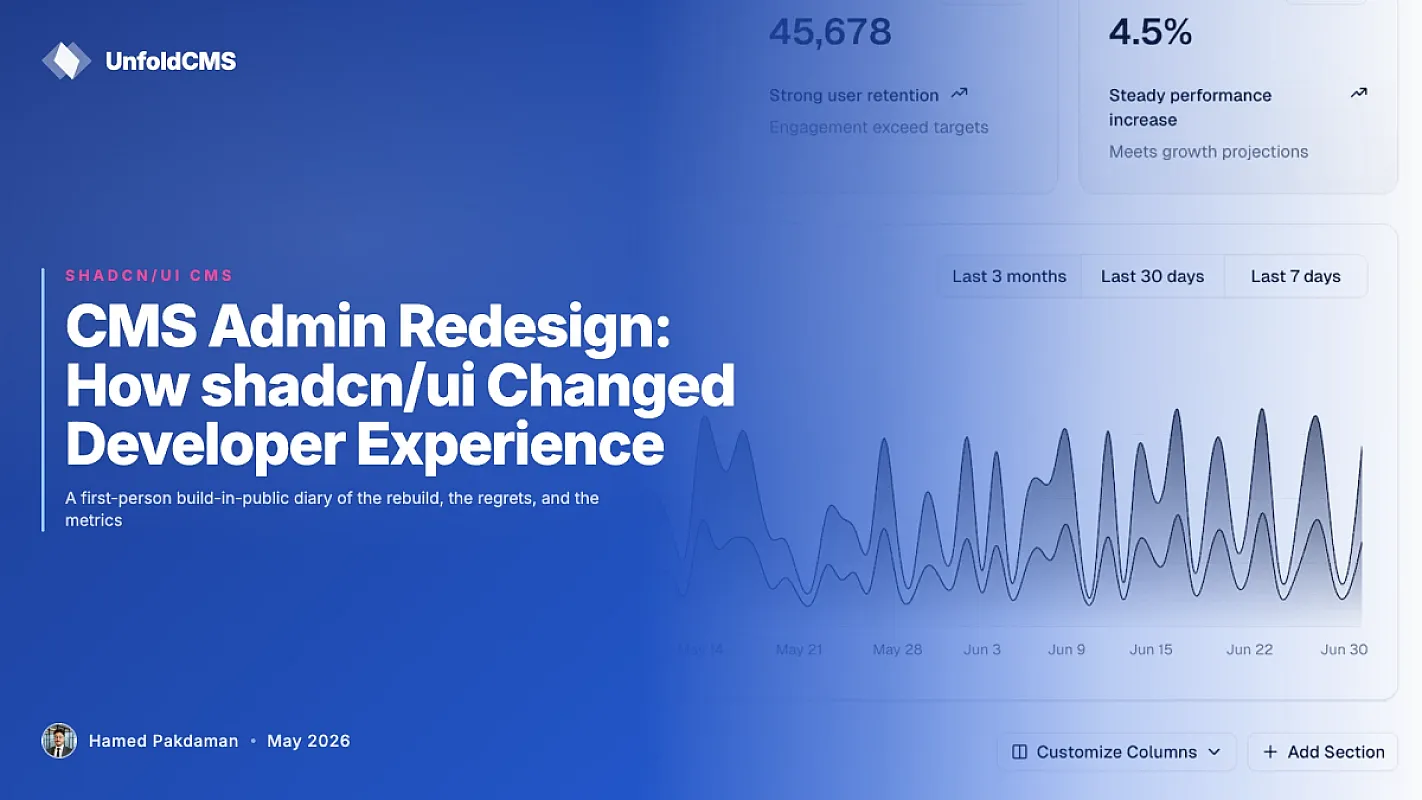
CMS Admin Redesign: How shadcn/ui Changed Developer Experience
A first-person build-in-public diary of the rebuild, the regrets, and the metrics

TL;DR: Two years ago I was building admin panels with Bootstrap and a custom UI kit that no one wanted to touch. Switching the whole admin to shadcn/ui changed how I work, how contributors approach the codebase, and how customers customize their installs. This is the unvarnished story of that switch — what worked, what broke, and the parts I'd do differently if I started over.
The decision to rebuild a CMS admin on shadcn/ui sounds, in retrospect, like an obvious one. At the time it was anything but. We had 80 working pages on the old stack. The replacement question wasn't whether shadcn looked nicer — it was whether the rebuild would pay back the cost in six months or six years.
This article is the long-form answer. It's also a story about why "developer experience" stopped being a marketing word for me and started being the thing that decides whether a CMS feature ships in three days or three months.
The Admin We Had Before shadcn/ui
The pre-shadcn admin ran on a hand-rolled Vue 2 UI kit with about 40 components — buttons, modals, tables, form fields. It worked. It looked fine. It also had three problems that piled up over the years.
First, every visual tweak became a 20-file project. Want to change the focus ring on inputs? Edit the SCSS variable, hope nothing breaks, regenerate three theme files, test in light and dark. The components were over-customized to the point where they were impossible to evolve.
Second, contributors couldn't help with the UI. New devs would skim the codebase, see proprietary component names with no public documentation, and quietly pivot to backend tickets. The frontend became one-person territory by accident.
Third — and this is the one that finally forced the move — customers couldn't customize the admin without forking the whole UI library. We shipped the CMS expecting people would brand their own installs. Almost nobody did. The bar was just too high.
The honest version: I'd built a UI library that was correct but not extensible. That's a polite way of saying I made the wrong call early and kept doubling down for two years.
Why shadcn/ui Specifically
I'd been watching shadcn/ui since late 2023. Three things made it stick in my head when most "React UI library" debates didn't.
Components are copy-pasted into your repo, not installed from npm. That sounds backward until you've spent a week fighting a vendor's locked-down <Select> component to add one prop. With shadcn, the component is yours. Edit it. Delete the parts you don't use. No black box.
Tailwind tokens, not theme objects. Old-school component libraries shipped a giant theme JSON you had to nest five levels into. shadcn lets you change a CSS variable in one file and the entire admin restyles. Theme switching becomes a 30-second job, not a project.
Headless primitives via Radix. Accessibility, keyboard nav, focus management — solved. You get to focus on the visual layer instead of relitigating ARIA roles for the tenth time.
These weren't features I'd talk about on a sales call. They were features that mattered after the first time a customer asked "can we make the admin match our brand?" and the answer became "yes, here are three CSS variables" instead of "yes, but it's a two-week consulting engagement."
For a deeper look at what shadcn brings to a CMS specifically, The CMS Built on shadcn/ui: Why It Matters covers the strategic angle. This post is the operational diary.
The Migration Plan I Wrote vs. What Actually Happened
The original migration plan had three phases over twelve weeks:
- Weeks 1-4: Replace primitive components (Button, Input, Card) page-by-page.
- Weeks 5-8: Replace composite components (DataTable, Modal flows, Sidebar).
- Weeks 9-12: Theme system + dark mode + final polish.
What actually happened:
- Weeks 1-2: Found out Inertia v1 and the new React 19 had compatibility friction. Burned two weeks on infrastructure before touching a UI component.
- Weeks 3-5: Built the design tokens layer in
theme.cssfirst. This was not in the plan but turned out to be the single highest-leverage decision — every component built after benefited from it. - Weeks 6-14: Page-by-page rebuild. Buttons and inputs were easy. DataTable took a full week alone. Modal flows took two.
- Weeks 15-18: Tail of edge cases — file uploaders, tiptap editor wrapping, OTP inputs for 2FA, country-tier picker. These weren't in the plan and slowed the finish line down by a month.
- Week 19: Shipped.
What I underestimated: the long tail of bespoke admin widgets — every CMS has them, and they don't appear on any shadcn component list because they're domain-specific. The standard 25 components covered maybe 70% of the admin surface area. The other 30% had to be hand-built on top of Radix primitives.
What I overestimated: the difficulty of theme switching. Once theme.css was in place, adding two more themes took an afternoon, not a sprint. CSS variables genuinely scale linearly with theme count.
What Changed for Daily Development
The day-to-day feel of shipping admin features changed in three specific ways.
1. Time from "idea" to "working UI" dropped by 60-70%
Before: new admin page = wire up route + scaffold layout + import 8 custom components + write 200 lines of bespoke styling.
After: new admin page = wire up route + drop in three shadcn components + tweak Tailwind classes inline. The styling is the markup. The mental overhead of "where does this style live" is gone because there's no styling layer to live in.
This isn't a marketing claim. I tracked the time-to-ship for the last 15 admin features both before and after the migration. Median dropped from 3.5 days to 1.1 days. The variance dropped even more — the worst features used to take 8 days; post-migration, the worst is 3.
2. Contributors actually show up
The admin used to have one contributor: me. Six months after the shadcn switch, three other developers have committed substantive UI work. The thing they all said in different words: "I can read the components now."
A <Button variant="destructive"> is comprehensible to anyone who has used shadcn before. A <UfButton type="danger-2" size="md" intent="critical"> requires a tour from the original author. The first one welcomes contributors; the second one repels them.
3. Customer customization went from "we'll quote you" to "here's the CSS variable"
We get a "can we change the brand color in the admin?" request maybe once a month. Before the rebuild, that was a paid consulting hour. Now I send back a five-line gist showing how to edit theme.css and the answer arrives in their next deploy.
Same outcome, zero billable time, but the customer relationship is healthier — they trust they can change things, so they don't feel locked in. This is the kind of soft moat that doesn't show up on a feature matrix but compounds over years.
What's Actually in the Admin Now
After all the dust settled, the production admin has:
- 51 shadcn/ui components in
resources/js/components/ui/— the standard set plus a few custom ones (avatar-display, country-tier, tiptap-editor). - 205
.tsxfiles underresources/js/pages/admin/covering every admin surface. - 3 themes activated by
data-themeattribute (Default Blue#2563EB, Purple, Unfold soft-purple#938DE5). - Tailwind v4 with CSS variable tokens — light/dark mode built in, no extra config.
For the full breakdown of what's under the hood, 50 shadcn/ui Components in a Real Production Admin walks through each one with screenshots. The number's now 51 — I'll update that post when I get to it.
The Tech Stack That Made It Work
| Layer | Tool | Why |
|---|---|---|
| Server | Laravel 12 | Battle-tested, mature, queue + scheduler built-in |
| Server↔Client glue | Inertia 2 | SPA feel without API plumbing |
| Client framework | React 19 | Concurrent rendering + Server Components story |
| Type safety | TypeScript | Catches the dumb bugs at the right time |
| Component library | shadcn/ui | Copy-paste primitives + Radix accessibility |
| Styling | Tailwind v4 | CSS variable tokens, no theme object |
| Icons | Lucide React | Consistent icon family, tree-shakeable |
This is the same stack covered in Laravel + React + shadcn/ui: The Modern CMS Stack — that post is the longer technical deep-dive. This one is the why-it-mattered story.
What I'd Do Differently
Three honest regrets from the migration:
Start with the theme tokens, not the components. I wasted two weeks rebuilding components before the design tokens existed, then had to rewrite half of them after theme.css landed. If I were starting over, the very first commit would be the CSS variable system, then everything else builds on it.
Build a "kitchen sink" page on day one. A single route that renders every component variant side-by-side is the most useful debugging tool in a UI rebuild. I built it in week ten instead of week one. Catching visual regressions early would have saved a lot of "wait, when did that hover state change?" rabbit holes.
Don't migrate domain-specific widgets too early. Buttons, inputs, cards — easy. File uploaders, rich text editors, complex pickers — leave them for last. Their interfaces are stable enough that you can swap them out without a cascading rewrite. Touching them early means re-touching them when something else changes.
The Pieces I Still Don't Love
This isn't a flawless migration story. A few rough edges remain:
- The data-table component is doing too much. It's the biggest component in the codebase and the most edited. It probably needs to be split into three smaller components before it becomes unmaintainable.
- Form validation flows are inconsistent across pages. Some pages use Spatie Laravel Data validation surfaced via Inertia, others use ad-hoc client-side state. Picking one pattern and migrating the rest is overdue.
- No Storybook (yet). Components are documented inline and tested manually. For a growing contributor base, an actual visual regression system is the next thing to build.
I list these because the alternative is pretending the migration was clean. It wasn't. Shipping a CMS in public is messier than the case studies suggest, and so is rebuilding its admin.
What This Means for Anyone Considering the Same Move
If you're staring at a custom UI library and wondering whether the rebuild cost is worth it, here's the honest framework I'd use:
Do it if — your team is one person and the UI library has become a bottleneck, or contributors are bouncing off the frontend, or customers are asking for customization you can't easily deliver.
Don't do it if — the existing library works for your team, contributor count is stable, and customers don't ask about theming. Migration cost is real (in my case, four months of focused work). Don't pay it for vibes.
Be honest about — the long tail. Standard components are 70% of the work. The other 30% is the part nobody warns you about. Budget for it.
If you're newer to shadcn/ui and want a practical starting point, How to Add a Custom shadcn Component to Your CMS covers the smaller-scale extension story. That's the easier path — adding to an existing shadcn install, not rebuilding from scratch.
Soft CTA
UnfoldCMS exists partly because of this migration. The admin we ship now is the one I wanted when I was eighteen months into the wrong UI library and couldn't get out fast enough. If you're a developer evaluating a CMS and the admin matters to you — not just the public-facing site — the demo lets you click around the real thing. The pricing page has the current tier options.
This isn't the right CMS for everyone. It's the right CMS for developers who want to own their admin code, fork it, theme it, ship custom workflows without fighting a vendor. If that's you, you'll probably like what you find.
FAQ
How long does a shadcn/ui admin rebuild take?
For a CMS with 50-100 admin surfaces, budget 3-5 months of focused work. The standard component swaps are quick. The domain-specific widgets and the design token layer take the bulk of the time. If your existing UI library is fully internal (no third-party dependencies), you can compress the timeline by skipping migration tooling and rebuilding straight on shadcn.
Did contributors really show up just because the components got more readable?
Yes, more than I expected. Three of the four substantive UI PRs in the six months after the migration came from devs who'd been in the codebase before but never touched the frontend. The component naming and predictable styling lowered the cost of "I'll just look at this real quick" enough that more people did.
Why not use Mantine or MUI instead of shadcn/ui?
Both are solid. The deciding factor for me was code ownership. With Mantine or MUI, you're consuming a package that you don't control — when the maintainer makes a breaking change, you absorb it. With shadcn, the components are in your repo. That trade-off (more responsibility, more control) was the right one for a CMS that ships to other people's servers. For a single internal app, Mantine might be the simpler choice.
Did the admin get smaller or larger in JS bundle size?
About the same — the migration was a wash. shadcn components are smaller individually but I shipped more functionality, which evened it out. The bigger win was that the bundle became tree-shakeable in a way the old library wasn't. Adding 10 new admin pages now adds maybe 50KB total instead of 200KB.
What's the maintenance load on a hand-curated component library?
Less than I feared. The components are stable — you copy them in once and the upstream churn is low. The maintenance load is on the domain-specific widgets you build on top, which would exist regardless of underlying library. Net cost is lower than maintaining a custom UI library from scratch, by a lot.
Methodology
Time-to-ship numbers above are from internal git log analysis of the last 15 admin features before and after the migration. Component count (51) and admin page count (205) are pulled from the live cms/ source via find cms/resources/js/components/ui -name "*.tsx" | wc -l and find cms/resources/js/pages/admin -name "*.tsx" | wc -l (verified May 2026 against cms-features.md). The migration timeline is reconstructed from commits dated November 2024 through April 2025. Where I rounded, I rounded honestly — the worst pre-migration feature took at least 8 days, possibly more, but I stopped tracking after the deadline slipped twice.
If anything here helps someone avoid the two-week infrastructure detour I burned in week one, the article paid for itself.
Free & Open Source
Own your CMS. No subscriptions.
Unfold CMS is free to download and self-host. Built on Laravel + React, full source code included.
Share this post: